
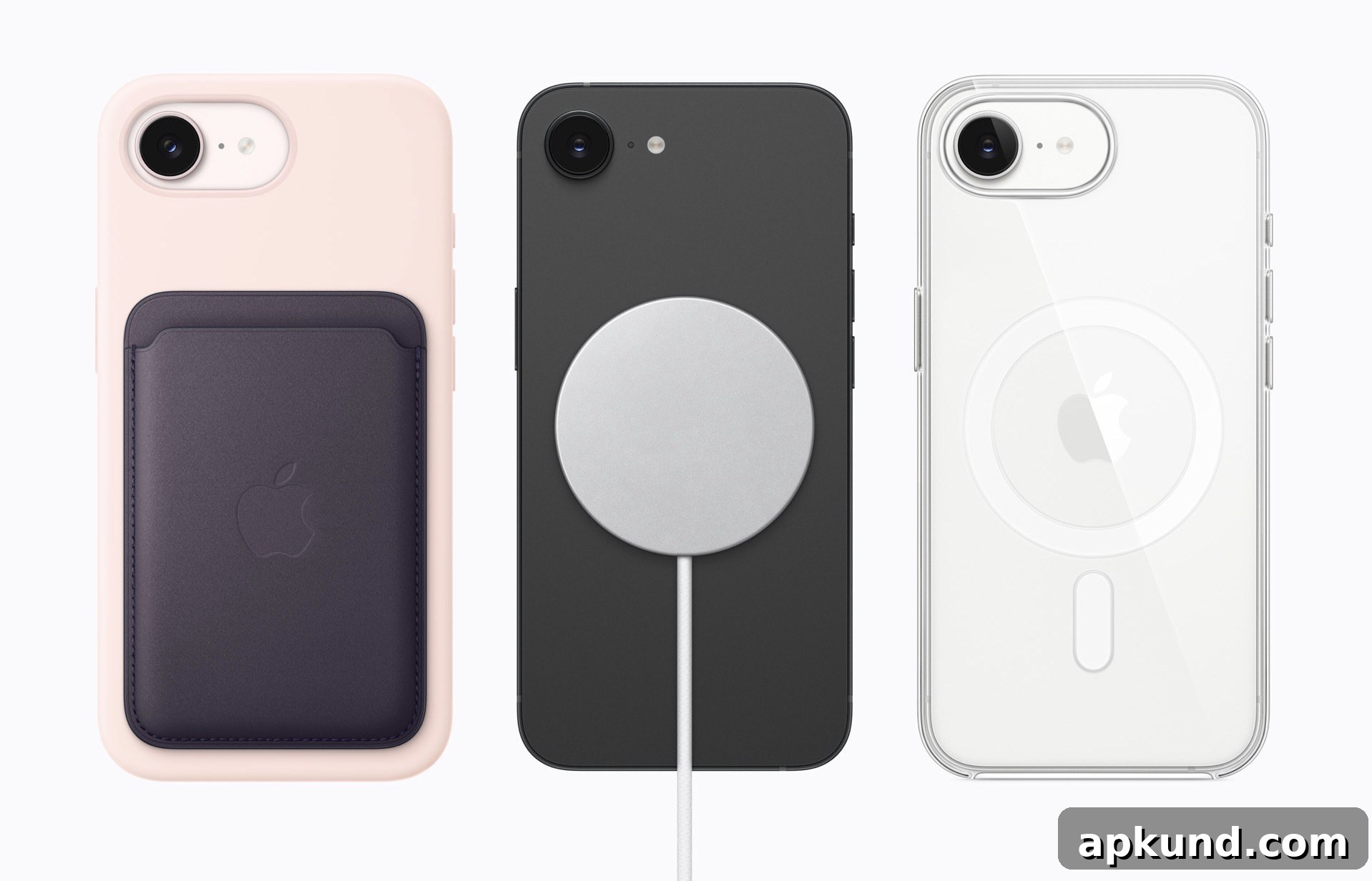
The iPhone 17e is now official and one of its headline features is support for MagSafe. Unlike the previous-generation iPhone 16e, which did not include MagSafe and therefore lacked compatibility with MagSafe accessories and wireless magnetic charging, the iPhone 17e brings back that convenience. If you plan to upgrade or buy the 17e, you’ll be able to use magnetic chargers, wallets, and other MagSafe accessories designed to snap onto the phone securely.
Apple’s inclusion of MagSafe also pairs with Qi2 wireless charging compatibility. Qi2 is the newest wireless charging standard that improves alignment and efficiency for compatible devices. With MagSafe and Qi2 support, the iPhone 17e can charge wirelessly at higher speeds and with better stability compared to older, non-magnetic wireless charging solutions. That makes powering up on the go simpler and more reliable, whether you use a MagSafe puck, a multi-device charging stand, or a car-mounted magnetic charger.
Below are practical recommendations and considerations to help you choose the right wireless charger and accessories for the iPhone 17e. The emphasis is on compatibility, safety features, and everyday usefulness so you can make an informed decision without worrying about mismatched chargers or ineffective magnetic attachments.
Key things to look for in an iPhone 17e wireless charger
- MagSafe compatibility: Ensure the charger explicitly supports MagSafe magnetic alignment so the charger snaps firmly to the back of the iPhone 17e and stays in place during charging.
- Qi2 support: Chargers that support the Qi2 standard will offer improved alignment and efficiency for devices that support it, delivering more consistent power transfer and potentially faster wireless charging speeds.
- Power output and charging speed: Look for chargers that list their output in watts. While actual charging speeds can vary, higher-wattage MagSafe chargers can provide faster wireless charging up to the device’s supported limit.
- Safety features: Over-temperature protection, over-voltage protection, and foreign object detection are important for reliable day-to-day charging and to protect your battery health over time.
- Build quality and heat management: Metal or specially ventilated designs can dissipate heat better. A charger that runs excessively hot will reduce charging efficiency and could affect longevity.
- Certifications and standards: Choose chargers from reputable manufacturers that list safety certifications and demonstrate adherence to wireless charging standards.
Types of MagSafe chargers and accessories to consider
- Magnetic puck chargers: These provide the classic MagSafe experience—snap-and-charge simplicity ideal for bedside or desktop use.
- MagSafe charging stands: Upright docks hold the iPhone at a useful viewing angle while charging, convenient for video calls, navigation, or using the phone as a bedside display.
- Multiple-device chargers: If you want to charge an iPhone, earbuds, and a smartwatch simultaneously, look for multi-device MagSafe-compatible charging stations that keep all devices organized in one spot.
- Car mounts with MagSafe: Magnetic car mounts that incorporate charging or secure magnetic attachment are useful for navigation and hands-free use while driving. Ensure the mount provides stable holding strength and does not interfere with signals or safety systems.
- Magnetic wallets and accessories: Slim magnetic wallets and mounts enhance convenience, providing storage for cards or a quick way to attach accessories without adding bulk.
Case compatibility and fit
When choosing a case for the iPhone 17e, prioritize cases that advertise MagSafe compatibility. A MagSafe-compatible case has built-in magnets aligned for reliable attachment to MagSafe chargers and accessories. These cases range from slim, clear options to heavier-duty protective models. If you prefer a thicker protective case, confirm the manufacturer states that MagSafe accessories will still attach securely; otherwise, you may lose magnetic grip or charging efficiency.
Tips for getting the best charging experience
- Remove metal plates or thick non-MagSafe accessories between the charger and the phone, as these can block the magnetic connection and reduce charging performance.
- Avoid placing objects like coins, keys, or cards near the charging area while charging to prevent unwanted heating or foreign object detection interruptions.
- Keep the phone and charger firmware up to date when applicable. Some smart chargers and magnetic accessories receive firmware improvements that enhance performance or safety.
- Use a quality power adapter when using standalone MagSafe pucks or stands. A charger’s listed wattage depends on the power brick you use—it’s worth pairing a capable adapter to get optimal power delivery.
In summary, the iPhone 17e’s restoration of MagSafe and support for Qi2 wireless charging makes it easier to adopt a wide variety of magnetic and wireless charging accessories. Whether you want a simple magnetic puck, a multi-device charging station, or a protective MagSafe-compatible case, focus on compatibility, safety features, and solid build quality to ensure dependable everyday use. With the right accessories, wireless charging can be a seamless and reliable part of your routine.
Note: this article may contain affiliate links that help support our authors and keep the site running.