
With Windows 10 now effectively discontinued for users worldwide, many people are weighing their options: buy a new computer, continue using an unsupported Windows installation, or switch to an alternative operating system. For those who want to avoid the expense of a new device while still getting current software and a lightweight, secure environment, Google’s ChromeOS Flex offers a compelling path.
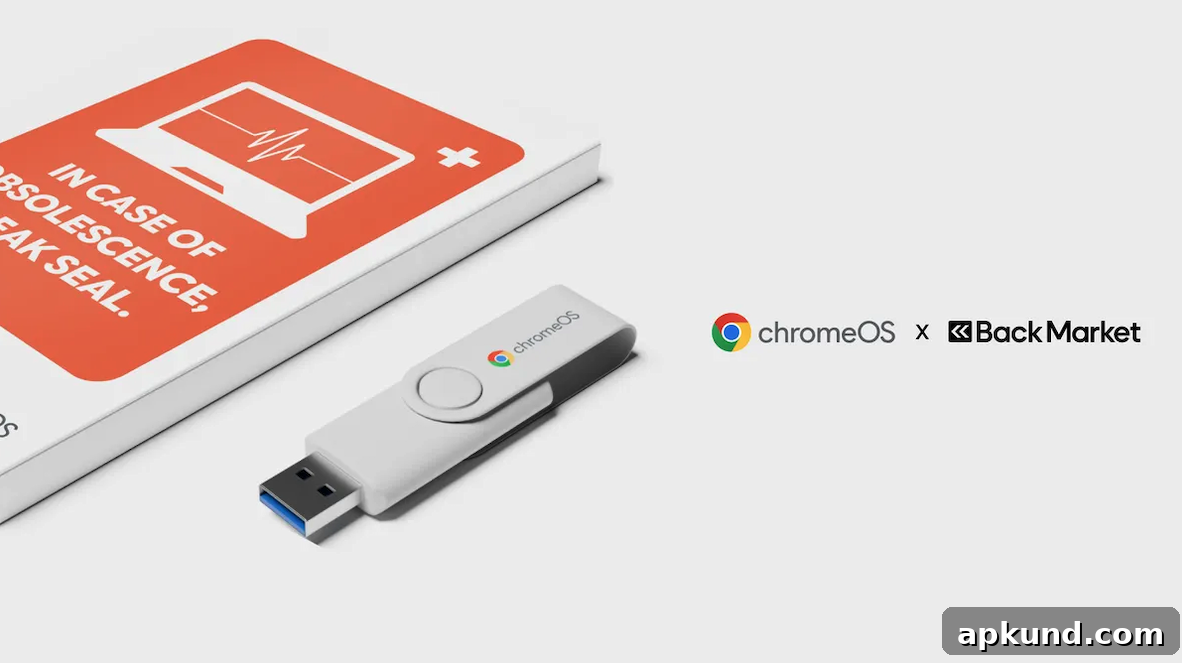
Google recently announced a partnership with Back Market to produce the ChromeOS Flex USB Kit, a plug-and-play device designed to install ChromeOS Flex on eligible PCs and Macs. The kit is intended to make the transition straightforward, and its low price emphasizes accessibility—Google lists the kit at around three dollars—while presenting a sustainability angle that may appeal to environmentally conscious users.
The company highlights two primary advantages: extending the useful life of existing hardware and lowering energy consumption. According to Google, manufacturing a new laptop accounts for a large portion of its carbon footprint, so keeping a device in service longer helps reduce waste and the emissions tied to producing new machines. Google also states that ChromeOS consumes less energy on average than comparable systems, citing a figure of about 19% lower energy use in some comparisons.
The manufacturing process of a new laptop is responsible for a large part of its carbon footprint. ChromeOS Flex allows the already-manufactured device to be used for longer, which keeps hardware out of landfills and avoids the emissions of making a new device. Savings do not stop there, ChromeOS also consumes 19% less energy on average than other comparable systems.
Beyond sustainability, ChromeOS Flex aims to offer practical benefits for users who want a fast, secure, and maintenance-light experience. ChromeOS is designed around the Chrome browser and web apps, which makes it suitable for everyday tasks such as web browsing, email, document editing, streaming media, and video calls. Devices running ChromeOS Flex receive over-the-air updates from Google, which helps maintain security and compatibility without requiring major upgrades to the underlying hardware.
The USB Kit is described as reusable and easy to use. It includes a bootable USB drive that walks users through the installation process, and Google provides step-by-step tutorials and support documentation to help people confirm compatibility and perform the installation. Before purchasing or attempting installation, Google recommends checking the official compatibility list to ensure your computer is supported, since hardware differences (drivers, peripherals, and firmware) can affect whether ChromeOS Flex will run smoothly on a specific machine.
Who should consider ChromeOS Flex? It’s a good option for users whose primary activities are online or web-based, those who need a lightweight system for older hardware, or organizations that want to refresh many machines without a large capital outlay. Schools, non-profits, and small businesses often find benefits in using a streamlined OS that is easier to manage and update. Individuals who rely on specialized native Windows or macOS applications may need to weigh whether web-based or Android alternatives meet their needs before switching.
Installation is typically a simple process: create the USB installer, boot the target computer from the USB drive, test the environment in “live” mode, and then optionally install ChromeOS Flex to the device’s internal storage. The live mode allows users to try the system without altering the existing operating system, which makes it easy to confirm that essential hardware—like Wi-Fi, audio, cameras, and keyboards—works correctly. If the tester experience is satisfactory, users can choose to install ChromeOS Flex and convert the device for daily use.
There are a few considerations to keep in mind. Some specialized hardware drivers or legacy peripherals may not be fully supported. Performance on very old machines will vary depending on CPU, RAM, and storage speed. Users who need offline, high-performance native applications may find limitations compared with a full desktop OS. Finally, although ChromeOS Flex brings security and updates, switching platforms does require a short learning curve for users unfamiliar with ChromeOS conventions.
For those interested in extending a laptop’s service life, reducing energy consumption, and simplifying maintenance, ChromeOS Flex presents an accessible option. The low-cost USB Kit, combined with Google’s setup resources, makes it easy to test the experience before committing to a full installation. Before you buy or install, verify compatibility with your specific hardware to ensure a smooth transition.