
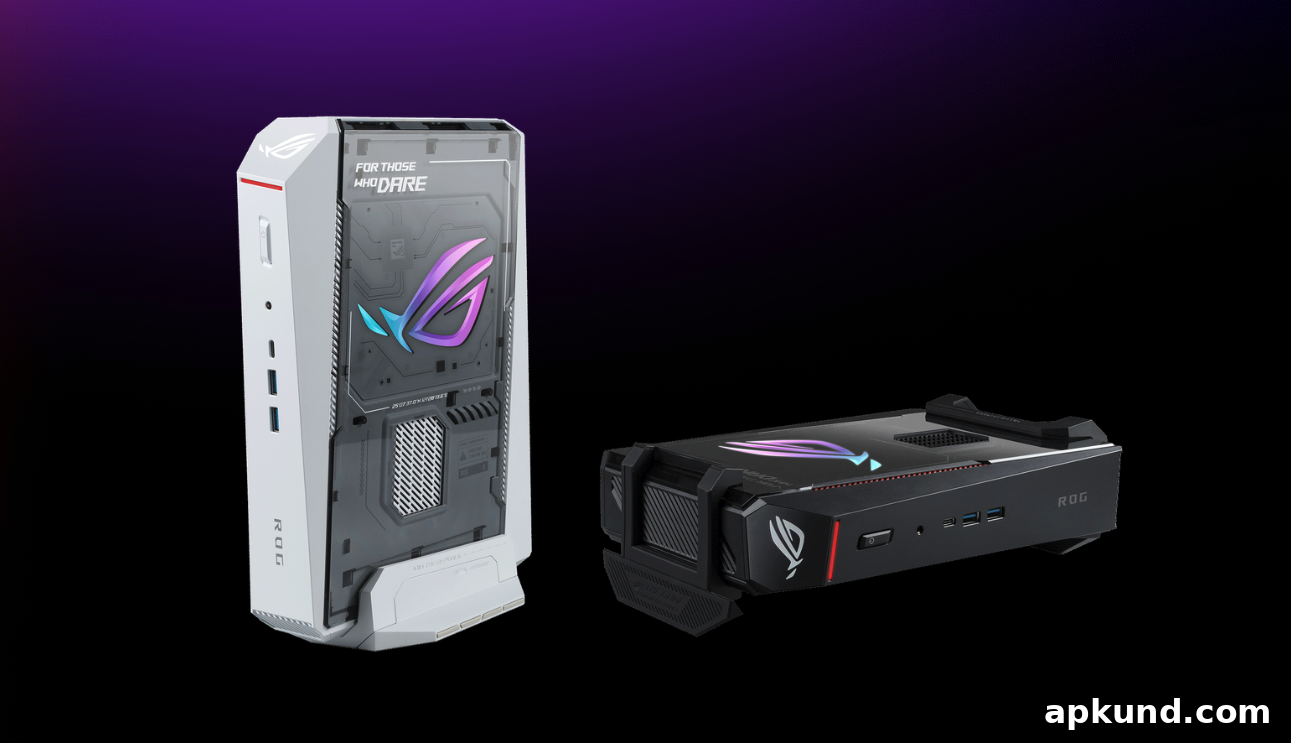
Mini PCs have steadily claimed a meaningful place in both the consumer and gaming markets over the past few years, offering powerful performance in much smaller footprints than traditional desktops. One recent entrant to this segment is ASUS’ ROG NUC 16, a compact gaming PC designed for high-end performance. ASUS positions the NUC 16 as a machine intended for both productivity and play, combining desktop-class components in a slim, space-saving chassis that is useful for gamers, content creators, and professionals who need strong performance without a large tower.
The ROG NUC 16 can be configured with an Intel Core Ultra 9 290HX Plus processor and an NVIDIA GeForce RTX 5080 Laptop GPU. According to ASUS, these components deliver meaningful improvements over previous models, with measured gains in 3DMark performance. The platform also supports up to 128GB of DDR5-6400 memory, giving the system ample bandwidth and capacity for multitasking, virtual machines, large datasets, and modern game engines. ASUS highlights AI optimizations on the unit, marketing up to 1,334 AI TOPS, which reflects the device’s ability to accelerate AI-assisted workflows such as inference tasks, creative AI features, and other machine learning-enhanced applications.
Graphics capability is a major selling point for the ROG NUC 16. The RTX 5080 Laptop GPU includes 16GB of dedicated GDDR7 memory and supports NVIDIA DLSS 4.5. DLSS (Deep Learning Super Sampling) combines advanced super-resolution, frame generation, and latency-reduction techniques driven by machine learning. For gamers, that translates into higher framerates and smoother gameplay at high resolutions. For creators and professionals, DLSS and the GPU’s compute power accelerate real-time rendering, video editing, image generation with NVIDIA Studio apps, and can assist in handling demanding creative workloads up to 8K, depending on the application and the project’s requirements.
Thermals and quiet operation are important for compact systems, and ASUS addresses these with its QuietFlow Cooling solution. The cooling implementation uses three large fans and a dual vapor chamber designed to increase CPU thermal coverage compared to prior designs. This improved thermal architecture aims to keep sustained performance higher for longer by reducing thermal throttling under heavy loads. ASUS also includes a dedicated SSD heatsink to better manage storage temperatures; the company reports a significant drop in operating temperatures for NVMe drives under load, which helps maintain sustained write speeds and improves long-term reliability.
Connectivity options are generous for a small form factor machine. The ROG NUC 16 offers a Thunderbolt 4 port and multiple display outputs capable of driving several high-resolution monitors simultaneously. ASUS states the system can support up to five 4K displays at once or a single 8K display, which makes it well suited for multi-monitor productivity setups, complex streaming rigs, or immersive gaming stations. In addition to video output, Thunderbolt 4 provides fast external storage and peripheral compatibility, expanding the machine’s flexibility for creators and professionals who may need to connect external GPUs, capture cards, or high-speed NVMe enclosures.
Beyond raw specifications, the ROG NUC 16’s small chassis offers practical advantages. Its compact footprint makes it easy to integrate into limited workspace environments, mount behind monitors, or transport between locations. For users who split time between home, office, and LAN events, a powerful mini PC reduces the compromises often associated with mobile or laptop-centric workflows while still remaining more portable than full towers. The configurable memory and storage options ensure the NUC 16 can be tailored for intensive multitasking, large media libraries, and complex creative projects.
In summary, the ASUS ROG NUC 16 combines a high-end CPU and GPU configuration, modern memory standards, strong AI capabilities, and refined cooling in a compact package. These attributes make it a compelling option for gamers, content creators, and professionals who need desktop-class performance in a smaller, quieter, and more flexible form factor. Potential buyers should consider their specific workflow needs—such as connectivity, display requirements, and storage capacity—when evaluating the unit to ensure it matches their intended use.