
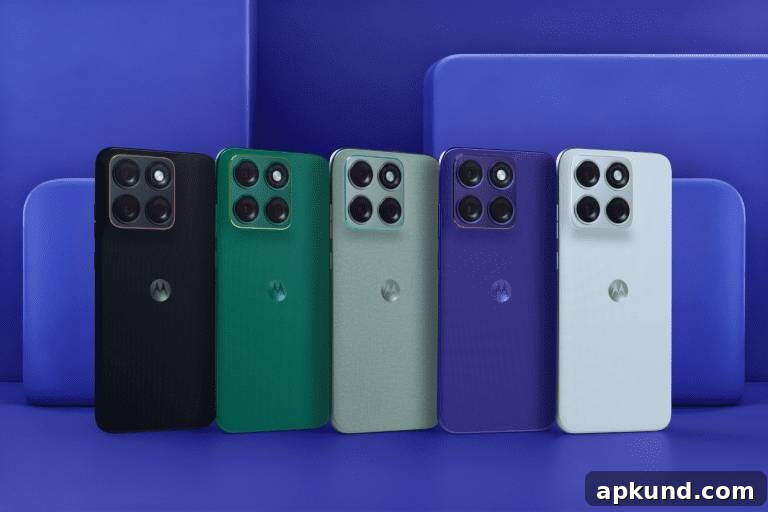
The Motorola Edge 70 Fusion features a large 6.78-inch AMOLED display with a sharp 1,272 x 2,772 pixel resolution. This panel supports a smooth 144Hz refresh rate, HDR10+ playback for richer contrast and color, and an exceptionally high peak brightness rated at 5,200 nits—designed to improve outdoor visibility. A centered punch‑hole houses a 32MP front-facing camera for selfies and video calls, delivering detailed images in good lighting conditions.
Build and protection are important for a phone with such a prominent display. Motorola equips the Edge 70 Fusion with Corning Gorilla Glass 7i and advertises Mohs Level 4 scratch resistance. That combination helps reduce everyday scratches from keys, coins, and other common hazards, and provides an additional layer of defense against minor impacts. While this glass is more resilient than many predecessors, using a good tempered glass or film screen protector still makes sense if you want to minimize the risk of visible scratches or more severe damage from drops.
Because the Edge 70 Fusion emphasizes both visual quality and fluid motion, the 144Hz panel is well suited for fast-paced content like gaming and scrolling. HDR10+ support enhances compatible video by improving dynamic range and color accuracy, so streaming HDR content can look more lifelike compared with standard displays. The high peak brightness also helps maintain legibility in bright outdoor conditions, which is a practical advantage for users who spend time outdoors or in direct sunlight.
The 32MP front camera in the punch‑hole is configured for everyday selfie and video call use. In typical indoor lighting it should capture detailed images and perform reliably on video conferencing apps. As with most smartphone selfie cameras, results can vary with lighting and scene complexity, but the higher resolution gives more flexibility for cropping or light retouching while preserving detail.
When choosing accessories, prioritize reputable screen protectors that match the Edge 70 Fusion’s curved or flat profile (depending on which variant you have) and maintain touch sensitivity and brightness. A well-reviewed tempered glass protector can preserve the display’s clarity and touch responsiveness while absorbing impact that might otherwise damage the phone’s glass. Additionally, consider a protective case with a raised lip to shield the display edges when the phone is placed face-down.
Beyond physical protection, caretaking tips for the display include avoiding abrasive cleaning materials, keeping the phone away from sharp objects in pockets or bags, and using soft microfiber cloths for regular cleaning. If you plan to use the phone extensively in bright sunlight, reducing automatic brightness smoothing and manually adjusting brightness can help ensure the screen stays readable without unnecessarily draining the battery.
Overall, the Motorola Edge 70 Fusion delivers a compelling screen experience for users who value high refresh rates, HDR playback, and strong peak brightness. The inclusion of Gorilla Glass 7i and Mohs Level 4 scratch resistance adds durability, but combining that factory protection with a quality screen protector and case will provide the best long-term protection for the device’s premium display.
Note: This article may contain affiliate links that help support our authors and keep the Phandroid servers running.