

Google Brings Native Gemini AI to Chrome in the UK
Google has started rolling out native AI features to the Chrome web browser in the United Kingdom, enabling built-in Gemini-powered tools directly in the browser. The company also says these features will expand to iOS devices in the coming month.
With Gemini in Chrome, users can interact with a conversational browsing assistant that understands natural language prompts. The assistant can summarize web pages, compare information across multiple tabs, and answer follow-up questions in context. Instead of switching between tools or copying and pasting text, users can ask the assistant to pull together relevant details from several open pages and present a concise summary or comparison.
Because Gemini for Chrome connects to other Google services, it can act on your behalf with appropriate permissions. That includes scheduling meetings in Google Calendar, drafting or suggesting replies in Gmail, and fetching location details using Google Maps. These integrations are designed to streamline common tasks and reduce repetitive steps while keeping results tailored to the user’s recent activity and preferences.
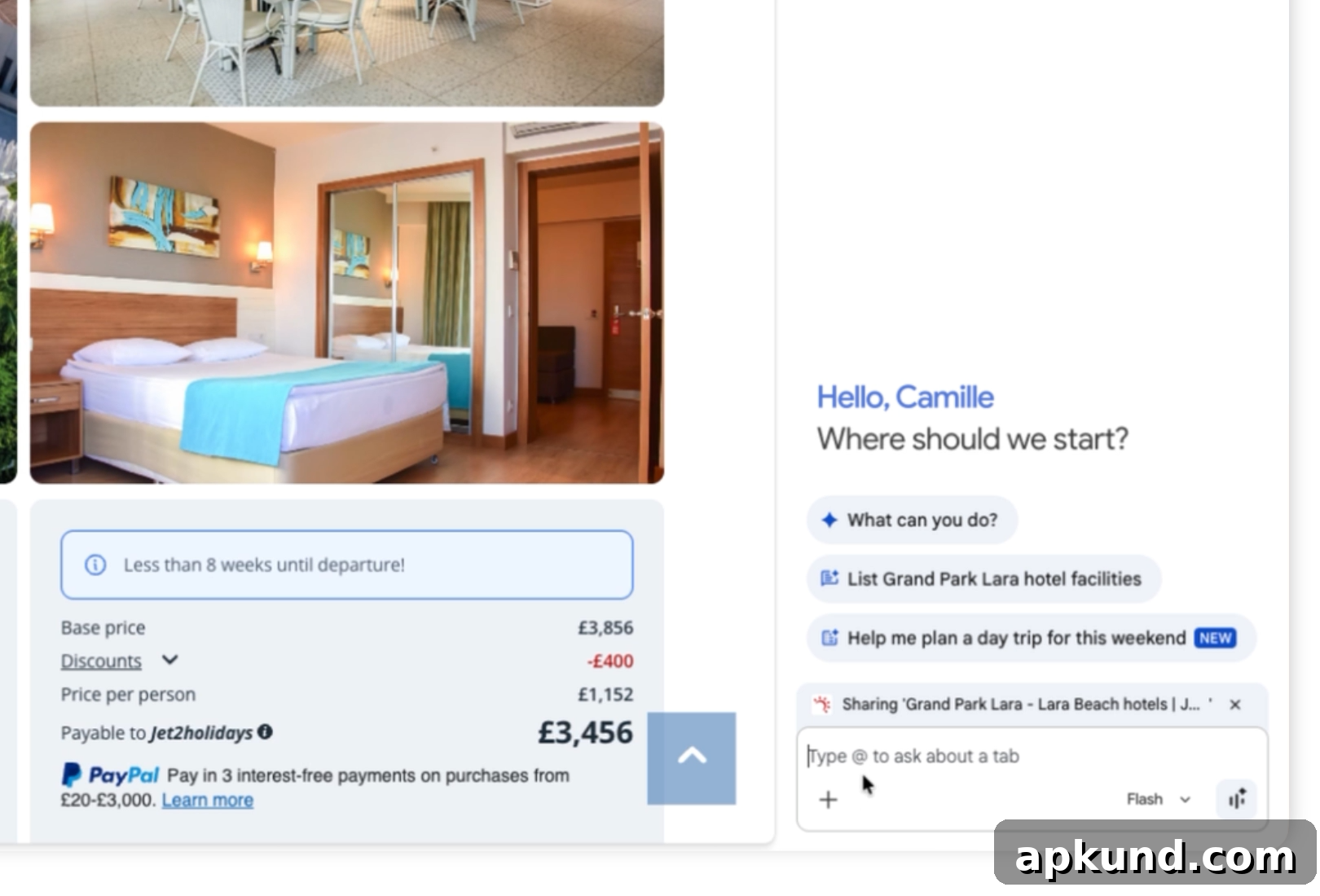
A notable capability of Gemini in Chrome is its ability to draw on context from previous conversations and interactions. When enabled, the assistant can use prior queries and responses to provide answers that are more relevant to your current needs. For example, if you’ve been researching a trip or a project, the assistant can use that history to prioritize related results and avoid asking redundant questions.
Google emphasizes that this context-aware behavior is optional. Users can control whether the assistant has access to personal data and conversation history. Settings are available so people can limit or disable contextual access if they prefer more privacy or if they want the assistant to treat each query independently.
Security and safety are also part of the rollout. Google says the same protections used across its AI models help guard Chrome’s AI features against common threats, including deceptive input techniques like prompt injection. For actions that the system considers sensitive—such as anything that could change account settings, send messages, or access protected data—the assistant may request additional confirmation before proceeding. These safeguards aim to reduce the risk of accidental or malicious actions driven by automated prompts.
How This Affects Everyday Browsing
For everyday users, integrating Gemini into Chrome should make routine tasks faster. Instead of manually compiling information from multiple pages, you can ask the assistant to synthesize comparisons, extract key points from long articles, and generate to-do items or email drafts based on what you find online. The goal is to reduce friction and make web research, planning, and communication more efficient.
Developers and power users may find value in the assistant’s ability to check across tabs and bring together disparate sources. That capability can speed up troubleshooting, research, and content creation workflows without repeatedly switching contexts or managing multiple windows and extensions.
Privacy Controls and User Choice
Google intends for users to remain in control of how much the assistant knows. Privacy settings let you opt out of context sharing and clear any stored conversation data. The company advises that those concerned about data use should review the assistant’s permissions and the browser’s privacy controls to ensure they match individual expectations.
As with any integrated AI feature, practical benefits come alongside trade-offs. Users who enable context-aware assistance will likely see more personalized and efficient results. Those who prioritize strict privacy can still use the assistant in a more limited mode or disable its access to personal data entirely.