
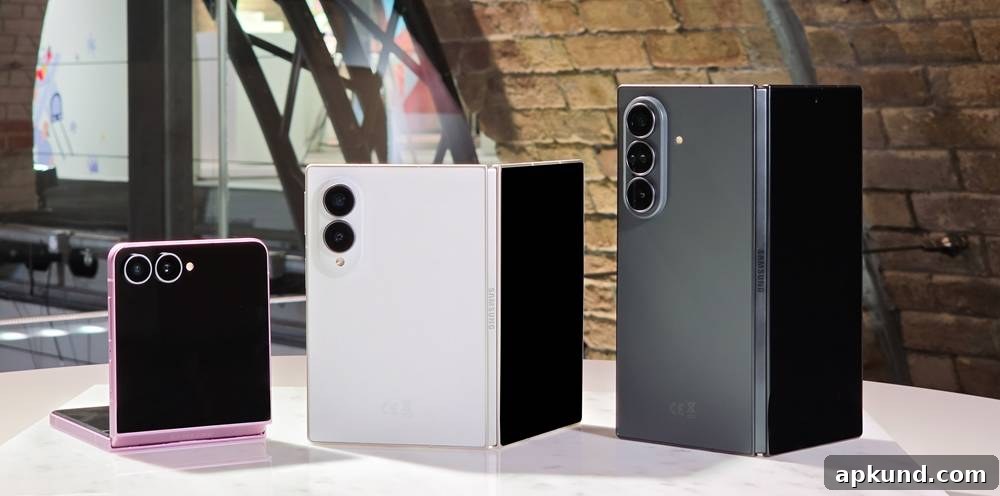
If you own one of Samsung’s Galaxy Z-series foldable phones, you may notice a new option in the settings menu: a consolidated “Warranty and Care” section introduced with One UI 9. This centralized hub appears on recent foldable models including the Galaxy Z Fold8 Ultra, Galaxy Z Fold8, and Galaxy Z Flip8, and is intended to simplify how owners view coverage, manage troubleshooting, and arrange repairs — all from a single place on the device.
The Warranty and Care menu presents a clear summary of coverage details for the active phone and any Samsung accessories linked to the same Samsung account, such as Galaxy Watches, Buds, or Galaxy Tabs. It shows remaining warranty periods and highlights which devices are covered. From this screen users can also verify eligibility for Samsung Care+ and, when applicable, enroll in additional protection without needing to visit a separate website or call support.
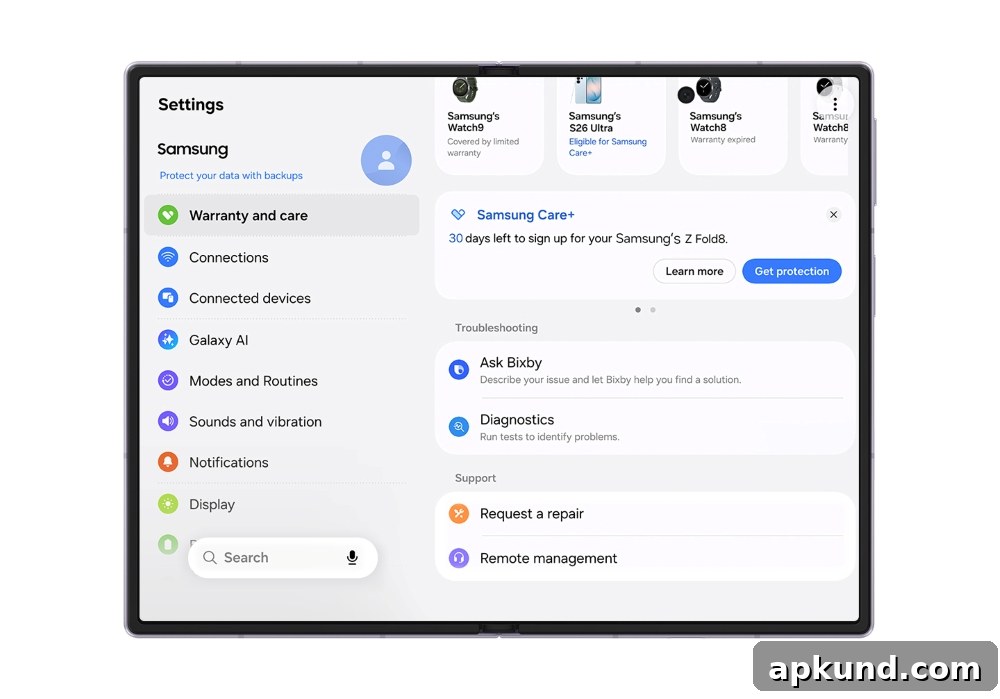
Image: Samsung
Beyond coverage visibility, the menu includes built-in Diagnostics tools that help users test common hardware components. Diagnostic checks can inspect the battery health and charging behavior, evaluate touch and display responsiveness, verify the operation of sensors, and confirm connectivity functions like Wi‑Fi, Bluetooth, and mobile data. These tests are useful for identifying straightforward problems before seeking professional repair, and they present results in a readable format so users know what to report to a technician if needed.
For basic troubleshooting and quick answers, Bixby is accessible from within the Warranty and Care screen. Users can ask Bixby device-specific questions to receive guided steps for resolving minor issues, adjusting settings, or performing simple maintenance tasks. This integration aims to reduce friction and get users back up and running more quickly without having to navigate away from the device’s own support tools.
READ: Samsung, Call of Duty Team Up for Early-Access Gaming Privileges
If Diagnostics or Bixby guidance indicate the device requires servicing, the Warranty and Care hub streamlines the repair process. Users can schedule appointments with Samsung-authorized service centers directly from the menu, request remote assistance where available, or arrange mail-in repairs without needing to make a phone call. The interface also provides estimated repair costs for common out-of-warranty fixes alongside the calculated costs that would apply under Samsung Care+, helping owners compare options and decide whether to proceed with a repair or to purchase additional coverage.
Samsung emphasizes that the features and options shown in this menu may vary by region and that warranty information is only displayed for devices that are registered to a Samsung account. Because of those regional differences, some users may see limited actions or alternate repair pathways depending on local service availability and policies.
Overall, the Warranty and Care menu represents a move toward more integrated, user-friendly device maintenance. By combining warranty details, diagnostic tools, Bixby support, and repair scheduling in one location, Samsung aims to reduce uncertainty and streamline the steps required when a device needs attention. For owners of supported Galaxy Z-series foldables, this centralized approach can save time, clarify coverage status, and provide faster routes to both self-service and professional support when problems arise.