
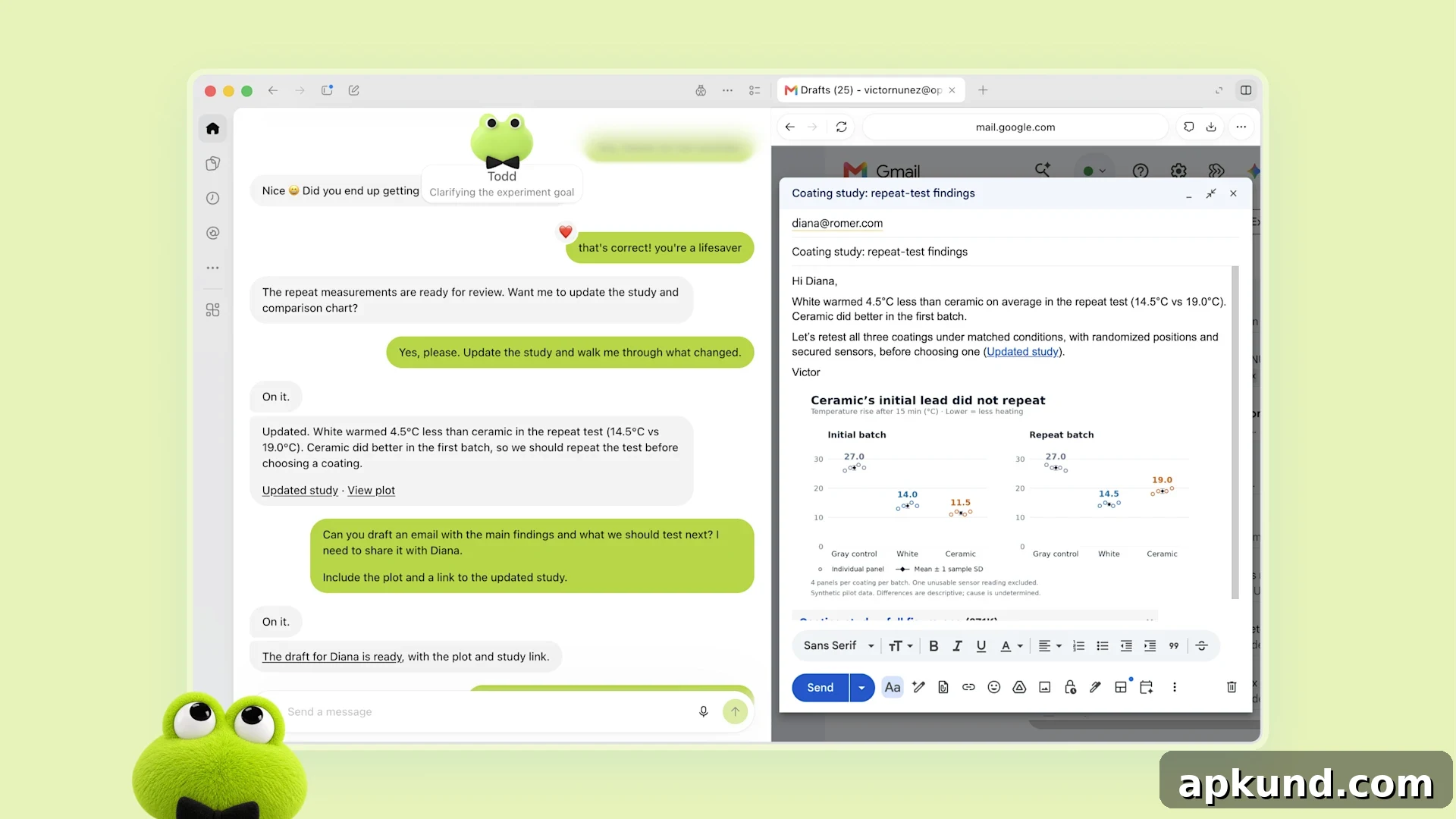
OpenAI has introduced Dots, a bubbly, cartoon-style AI assistant designed to keep working in the background even when you’re not actively chatting with it. If you subscribe to ChatGPT Pro or Business Premium, you may already be able to set one up. Dots are presented as friendly, approachable characters, but beneath that playful exterior they act as autonomous AI agents: programs that carry out tasks independently of direct prompts.
Unlike a traditional chat-based assistant that responds only when asked, a Dot runs continuously on remote servers and can monitor projects, perform ongoing work, and complete tasks without waiting for each instruction. With user permission, Dots can integrate with a wide range of services—reportedly thousands of apps—and can also interact with your personal devices to the extent you allow. The intent is to make the agent act as a helpful partner that takes care of routine or time-consuming tasks in the background.
Why the friendly appearance matters
The choice to package this capability in a playful, cartoon-like avatar is deliberate. Presenting AI agents as friendly characters helps make an abstract technical idea easier to grasp, especially for people unfamiliar with autonomous software. A relatable visual identity reduces the intimidation factor that can come with software that takes actions on its own and makes it clearer that this is a tool designed to assist, not to surprise or confuse.
Other companies have taken similar approaches, using personable visuals and simplified metaphors to help users understand what their agents can do. The human-centered presentation is meant to encourage adoption and trust while also explaining basic limitations and controls in plain terms. For many users, a friendly face can lower the barrier to trying something new and help focus attention on practical uses rather than only technical details.
The timing of Dots’ launch comes after several high-profile discussions about the safety and containment of experimental AI agents. OpenAI has previously paused some internal testing in response to incidents during development, and the company has emphasized that Dots are governed by safety checks and restrictions designed to prevent unsafe actions. OpenAI has stated that any action with the potential to affect accounts, finances, or sensitive data must pass built-in safety reviews and, for particularly sensitive operations, still requires your explicit approval.
Availability, controls and best practices
Access to Dots is currently limited. ChatGPT Pro and Business Premium subscribers receive one Dot at no extra charge, and enterprise customers can enable the feature through their organization’s administrator. Some regions are excluded from immediate access—areas with stricter data privacy regulations may not have Dots available yet. OpenAI has not provided detailed pricing for additional Dots beyond the one included with qualifying subscriptions.
If you gain access to a Dot, it’s important to configure its permissions and approval rules before giving it broad capabilities. OpenAI provides options to require manual sign-off for high-risk actions, such as transactions, account changes, password resets, or deleting important data. Users should set conservative defaults, monitor a Dot’s activity, and restrict access to sensitive accounts until they are comfortable with the agent’s behavior.
In practice, a cautious rollout works best: start by assigning low-risk responsibilities—scheduling reminders, aggregating information, or monitoring the status of ongoing projects—so you can observe how the Dot operates and review logs of its activity. Gradually expand its permissions only after you are confident in its reliability and the safety checks in place.
Dots represent a growing trend toward more proactive, autonomous AI tools that do work on behalf of users. While a playful visual design helps present that idea in an accessible way, the practical value of these agents depends on robust safety controls, clear consent mechanisms, and sensible user settings. For now, the feature is a controlled offering within OpenAI’s paid tiers, and users who try it should prioritize careful configuration and ongoing oversight.