

Google is testing a new AI-driven troubleshooting tool that can diagnose problems on your phone and attempt to fix them directly from a conversation. Named Device Help, the feature is currently visible only on the Pixel 11 Pro in early trials. Instead of navigating menus or scheduling a repair appointment, you can describe the issue to Gemini and it inspects your settings and offers actionable fixes.
If this feature works as intended, it could save users time and effort by reducing the need for phone calls, online support chats, or trips to service centers. Rather than handing you a generic list of possible causes, Device Help looks at your device’s current configuration and suggests specific adjustments. For example, if your screen appears overly warm or yellow, Gemini can detect that Night Light is enabled and offer to turn it off for you, rather than simply telling you where to find that setting.
What Device Help Can Do
Device Help is integrated into the Gemini app and appears in the app’s “plus” menu. In its present form it can help diagnose and resolve common problems such as Wi-Fi connectivity issues, Bluetooth pairing and performance, mobile data problems, battery drain, audio irregularities, and app performance slowdowns. The tool can also check storage and battery health, recommend ways to free up space, and guide you through toggling system settings like Dark theme, Do Not Disturb, and screen timeout.
Unlike static help pages that only describe where a setting lives, Device Help inspects your phone’s active state before responding. That contextual awareness allows it to provide tailored instructions and, when appropriate, complete certain fixes automatically. The conversational interface is designed to make troubleshooting feel more like talking with a knowledgeable assistant than following a long checklist.
-

- Image credit – 9to5Google

-
- Image credit – 9to5Google

-
- Image credit – 9to5Google
-
- Image credit – 9to5Google
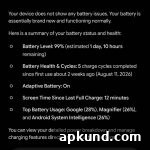
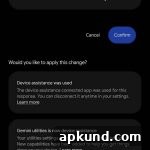
Under the hood, Device Help builds on tools Google already had for on-device diagnostics. The functionality appears to be an evolution of an earlier tool known as Device Assistance (previously labeled Utilities). What’s new is the conversational Gemini interface wrapped around those diagnostic capabilities, making the interaction more natural and guided.
It’s important to note that Device Help currently carries a “Labs” designation, indicating it’s an experimental feature rather than a finished product. At the moment the experiment is limited to Pixel 11 Pro devices running the Google app beta. It is not available on the regular Pixel 11 or older Pixel models, and Google has not announced any firm plans or timelines for a broader rollout.
Limitations and Considerations
Because Device Help is experimental, users should expect limitations and potential rough edges. The feature’s effectiveness will vary depending on the issue and how well Gemini can access relevant system settings. Some fixes may require user confirmation or manual steps for privacy and security reasons. Additionally, experimental tools can change rapidly; capabilities and availability may expand or contract as Google refines the experience.
Privacy and security are natural concerns when a tool inspects device settings. Google’s approach focuses on local diagnostics and guided actions, but users should review any permissions requested by the Google app beta before enabling experimental features. Being cautious about what you allow any app to change remains good practice.
How to Try It
If you own a Pixel 11 Pro and want to test Device Help, you’ll need to join the Google app beta and check the Gemini app’s “plus” menu for the Labs entry. For everyone else, the only current option is to wait and see whether Google expands access to other Pixel models or makes Device Help a standard feature in a future update. When and whether that will happen has not yet been confirmed.
In short, Device Help promises a simpler, more contextual way to diagnose and resolve common phone problems. If it matures beyond Labs and becomes widely available, it could reduce routine support needs and make device maintenance faster and more accessible for everyday users.