

A couple of years ago, Spotify added support for music video playback to enhance the listening experience. Now the platform is rolling out a fresh set of video controls designed to give users more choice over how visual content appears alongside their audio.
Starting today, managers of Spotify Family plans can disable video content for other plan members directly from subscription settings. Previously, the option to block video content applied only to accounts for users under 13; the new update expands that control across all Family plan members. Spotify says this Family-level control is available globally beginning today.
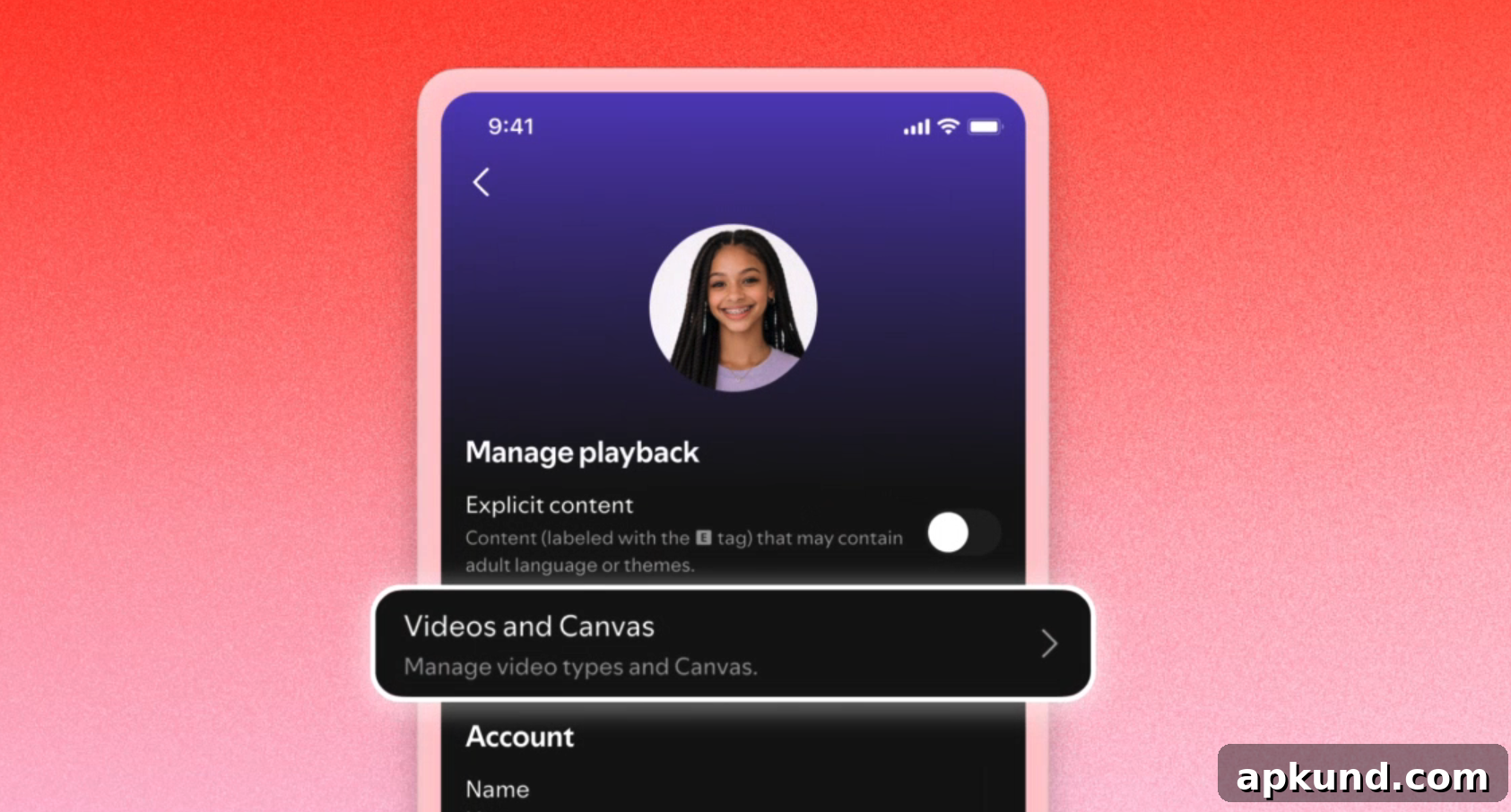
In addition to Family plan controls, Spotify plans to introduce updated video settings for all Premium and Basic subscribers — including Individual, Duo, Family and Student plans. That wider rollout is scheduled to arrive later this month, giving every paid and ad-supported listener more ways to manage how video and motion content show up in the app.
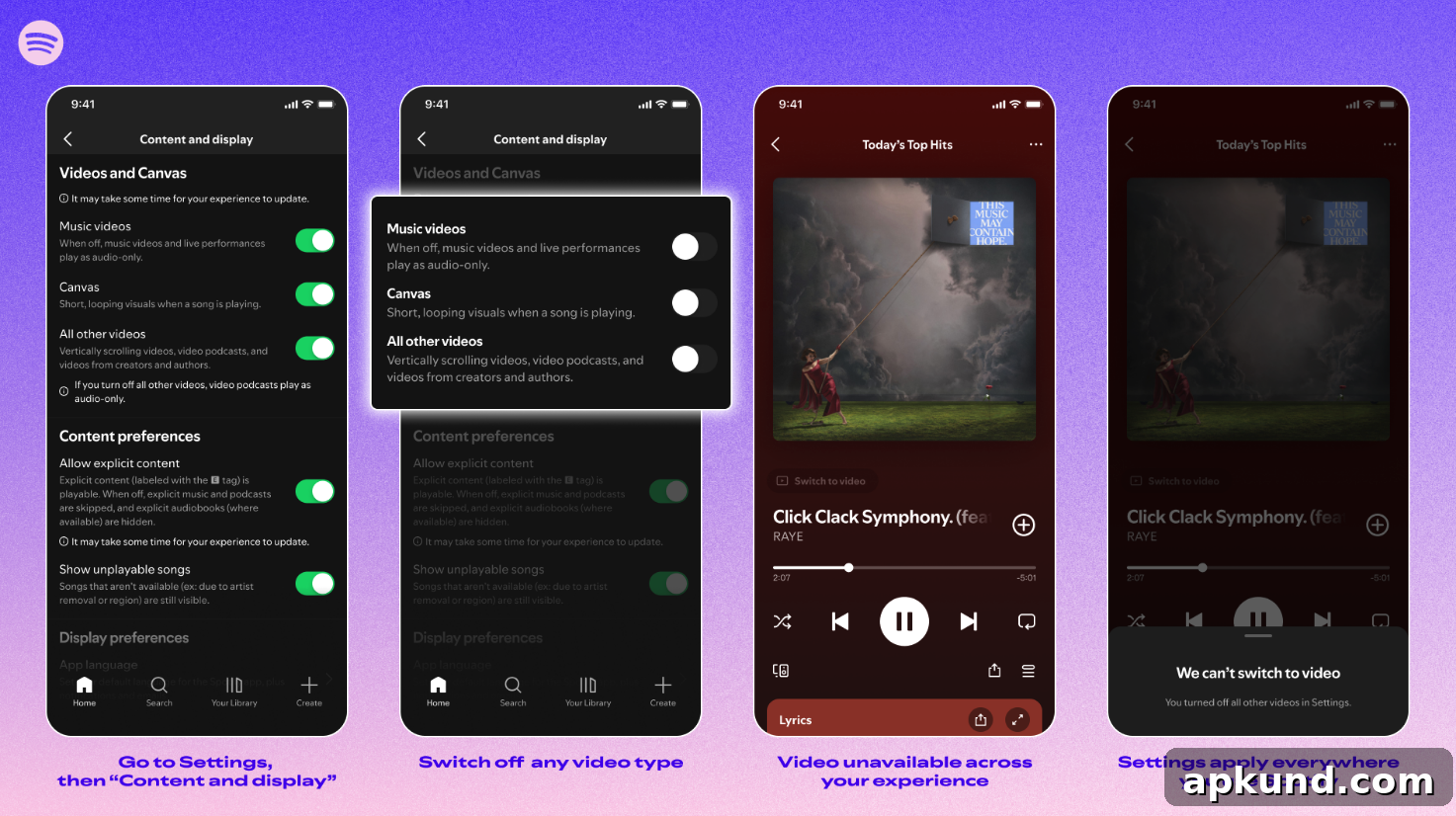
To access the new controls, users will navigate to the Spotify app and open Settings > Content and display. From there, they can toggle several options, including whether to show looping Canvas visuals and whether to play music videos or podcast video episodes. Any changes made in those settings will apply to the user’s account across all devices where they sign in.
Spotify also clarifies that video control settings do not replace ad behavior: ads will continue to play in accordance with a listener’s subscription and region where applicable. In other words, disabling video playback affects only the app’s organic video content and Canvas visuals, not the platform’s ad serving.
Why these controls matter: video elements can enrich music and podcast experiences, but they also increase data usage, battery consumption and on-screen motion. By giving users a straightforward toggle for Canvas and video playback, Spotify lets listeners prioritize audio focus, reduce data draw, or limit visual motion for accessibility or personal preference. For families, centralized controls help guardians manage the visual content available to other plan members without touching each device individually.
Practical tips for users:
- If you want to conserve mobile data, switch off video and Canvas when using cellular networks.
- Families who prefer an audio-first experience can have the Family plan manager disable videos for all members from the subscription controls.
- Individual users can set preferences per account so their playback behavior follows them across phones, tablets and desktop apps.
- Remember that disabling video won’t affect audio ads or the presence of ad-supported content; it only affects video playback and looping visuals provided by the platform.
From a usability perspective, the new controls are designed to be simple to find and apply: Settings > Content and display is the central place to manage video appearance and looping artwork. Once toggled, the settings synchronize with the account, meaning you don’t need to reconfigure each device you use.
In sum, Spotify’s latest update gives listeners and Family plan managers more granular control over visual content, while maintaining existing ad behavior and ensuring preferences follow the user across devices. The Family plan changes are available globally now, and the broader set of account-level video controls will roll out to all Premium and Basic subscribers later this month.