
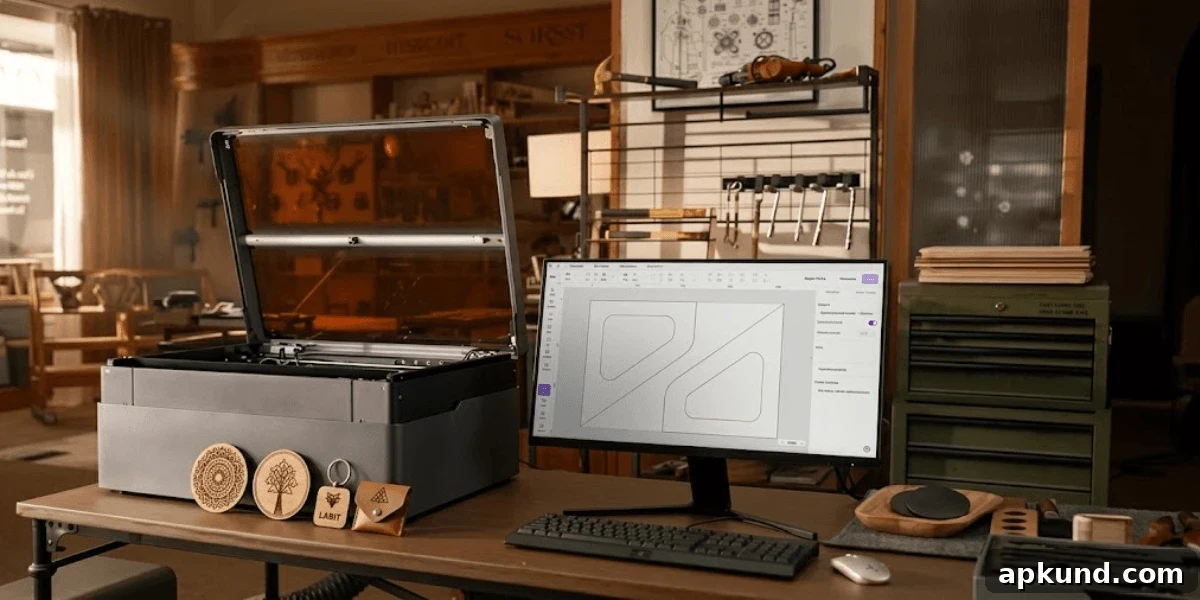
We spend most of our time writing about the glass slab in your pocket, but every so often another kind of hardware deserves attention. Desktop laser engravers are one of those. A few years ago they were industrial machines costing thousands of dollars and demanding a steep learning curve. Today you can buy a compact, enclosed unit for under $2,000 that sits on a desk, pairs with simple software, and lets hobbyists cut custom keycaps, engrave gifts, or produce small batches of parts with a minimum of fuss.
What Changed
Diode laser modules have become significantly more powerful and more affordable, allowing compact machines to cut and engrave materials that once required a CO₂ tube. Enclosed designs are increasingly common, which reduces glare and the need for extensive personal protective equipment. That makes these tools safer and more approachable for home use.
Software and workflow have improved too. Many modern units include built-in cameras so you can position a design over a live image of your workpiece instead of entering coordinates by hand. Several manufacturers offer mobile apps that allow framing, focusing, and starting jobs straight from a phone. These improvements shave hours off the setup process and make the machine feel much more like a consumer device than a piece of industrial equipment.
What People Make
Enthusiasts and small businesses use desktop laser engravers to make a long list of practical and creative items. Common projects include custom keycaps and switch-plate badges for keyboards, engraved multitools and pocket gear, phone stands, cable trays, and desk organizers cut to size. Hobbyists build cosplay props and tabletop terrain, while others produce personalized gifts—coasters, signs, and pet tags—that look handcrafted rather than mass-produced.
Some people turn their machine into a side business, selling small runs of engraved goods to local customers or online marketplaces. Once the machine is paid for, the cost per item drops dramatically, which is why many makers find this a viable small-scale business option.
The Specs That Matter
Ignore marketing wattage claims as your primary buying metric—those numbers are often misleading. Instead, focus on practical features that affect daily use. First, choose an enclosed unit; enclosure improves safety and reduces airborne debris. Second, look for autofocus and a work camera—both save setup time and reduce errors. Third, consider the work area size: a larger bed is more forgiving when laying out multiple pieces or when you misjudge dimensions. Finally, check for compatibility with an infrared module if you want to engrave coated or bare metal like stainless bottles. That expands material options beyond wood and acrylic.
CO₂ machines still have the edge for cutting very thick materials, but they are bulkier and require more maintenance. For most hobbyists and small business users, a diode laser with optional infrared capability offers the best balance of size, cost, and versatility.
Which One to Get
Spend a few minutes researching before you buy. The market is crowded and spec sheets can be designed to confuse. Look for reviews that test real-world cuts and engraves rather than repeat marketing claims. Prioritize units with a Class 1 safety rating if possible, because some inexpensive imports cut corners on enclosure and interlock safety. A buyer’s guide that separates machine types by what they actually do well, rather than who has the highest-sounding numbers, will help you make a practical choice.
The Catches
Desktop laser engraving is not completely plug-and-play. You will need ventilation, because cutting and engraving materials produces smoke and fumes; a window duct or an inline filter is recommended rather than running the unit in a closed bedroom. There’s a materials learning curve—your first few jobs will probably need adjusted power and speed settings to achieve ideal results. And you should not run long jobs unattended; these machines require supervision to catch issues like material shifting, flare-ups, or failed cuts.
None of that is a dealbreaker. It just means laser engraving demands more hands-on attention than a standard desktop printer.
Worth It?
If you already own a 3D printer, soldering iron, or other maker tools, a laser engraver is a complementary addition that will likely see frequent use. “Engrave a name on it” quickly becomes a common request among friends and family, so you may find yourself producing more custom items than you expected.
If you only want one custom piece, paying a maker on a marketplace is the simplest option. If you want dozens of items or are planning to sell them, buying a machine usually makes financial sense. Overall, desktop laser engravers are one of the few gadget categories getting cheaper, quieter, and easier to use at the same time, and they’re worth considering for anyone who enjoys making custom things at home.