
Xbox Insiders July 2026: New Console Features and Enhancements
Microsoft has begun rolling out a new set of features for select Xbox Insiders. These updates focus on social connectivity, user interface customization, and energy efficiency for Xbox consoles. The changes were developed with user feedback in mind and aim to deliver a more personalized, streamlined, and power-conscious console experience.
Starting today, select Xbox Insiders can test updates designed to make Xbox consoles feel more personal and connected to the people and games you care about. From discovering mutual friends across Xbox and customizing the look of My games & apps, to quickly wishlisting upcoming games and exploring new energy-saving console improvements, these changes reflect ongoing work to deliver a better console experience.
Mutual Friends and Improved Social Discovery
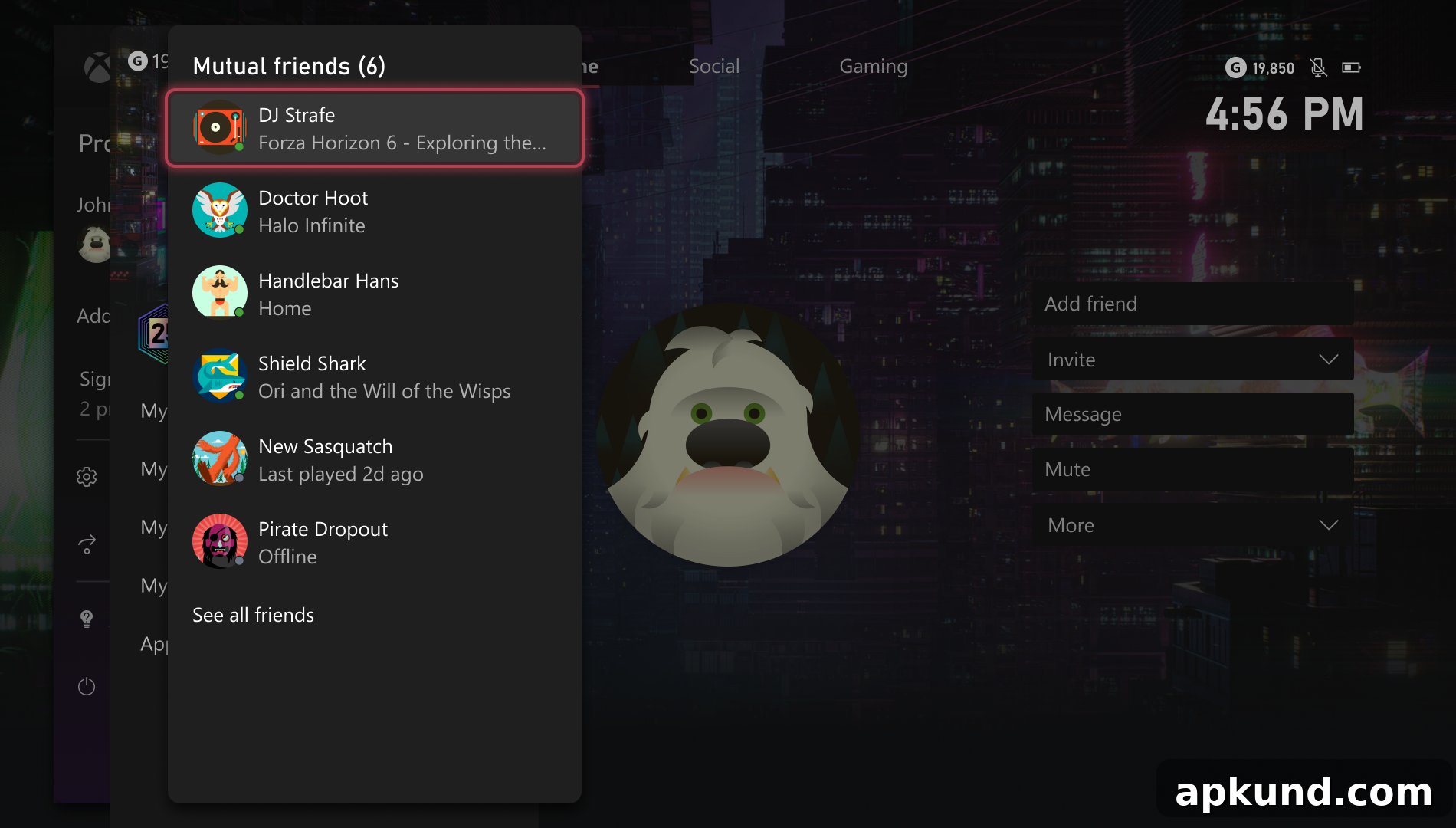
The update introduces a mutual friends feature on player profiles. When privacy settings allow, users can now see shared connections with other players directly on their profile page. For users who are not already friends, the profile will display the exact number of mutual friends in common. This enhancement is designed to make it easier to discover people you may know, reconnect with acquaintances, and build your friend list with more context.
Privacy remains a priority: mutual friend details are displayed only in accordance with each user’s privacy settings. If a user has restricted their sharing, the mutual friends information will not be exposed beyond what they permit.
My Games & Apps: Artful Library and Cleaner Dashboard
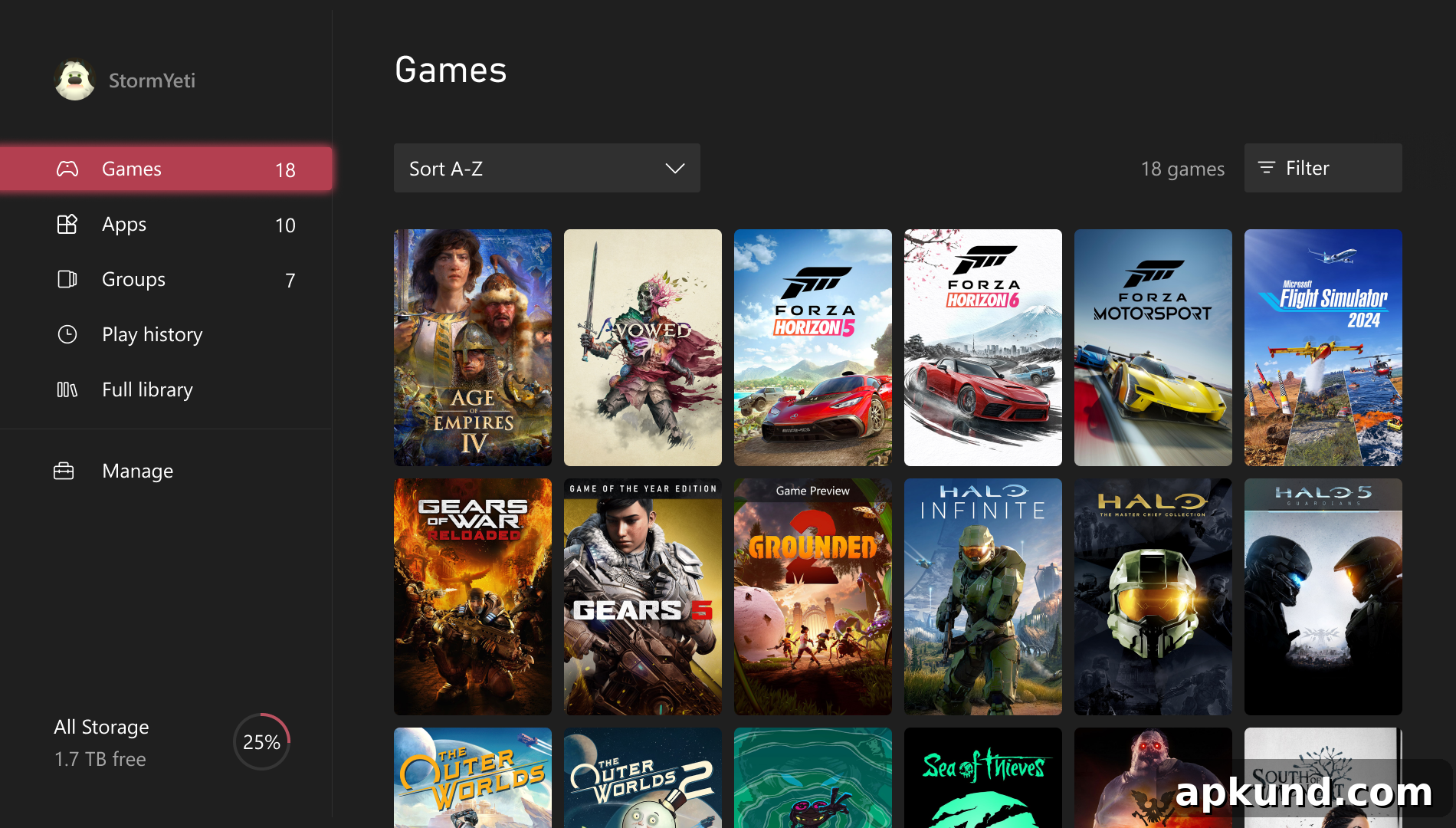
The My games & apps area has been refreshed with visual and organizational improvements. Players can switch to a poster-style artwork view for their library, giving game collections a richer, gallery-like presentation. This visual mode helps you spot favorites and recent titles more quickly, improving at-a-glance navigation.
In addition to artwork options, Microsoft separated customization settings for the Home screen and the apps library into distinct menus. This separation makes it simpler to manage how content appears in each location. Users can also choose to hide or show specific status icons, enabling a cleaner, less cluttered dashboard if preferred.
The update also introduces new navigation shortcuts across the UI for quicker access to commonly used sections. These shortcuts are intended to reduce the number of steps to reach games, apps, and key settings, improving overall responsiveness and usability.
Wishlist from Game Card and Streamlined Pre-Purchase Flow
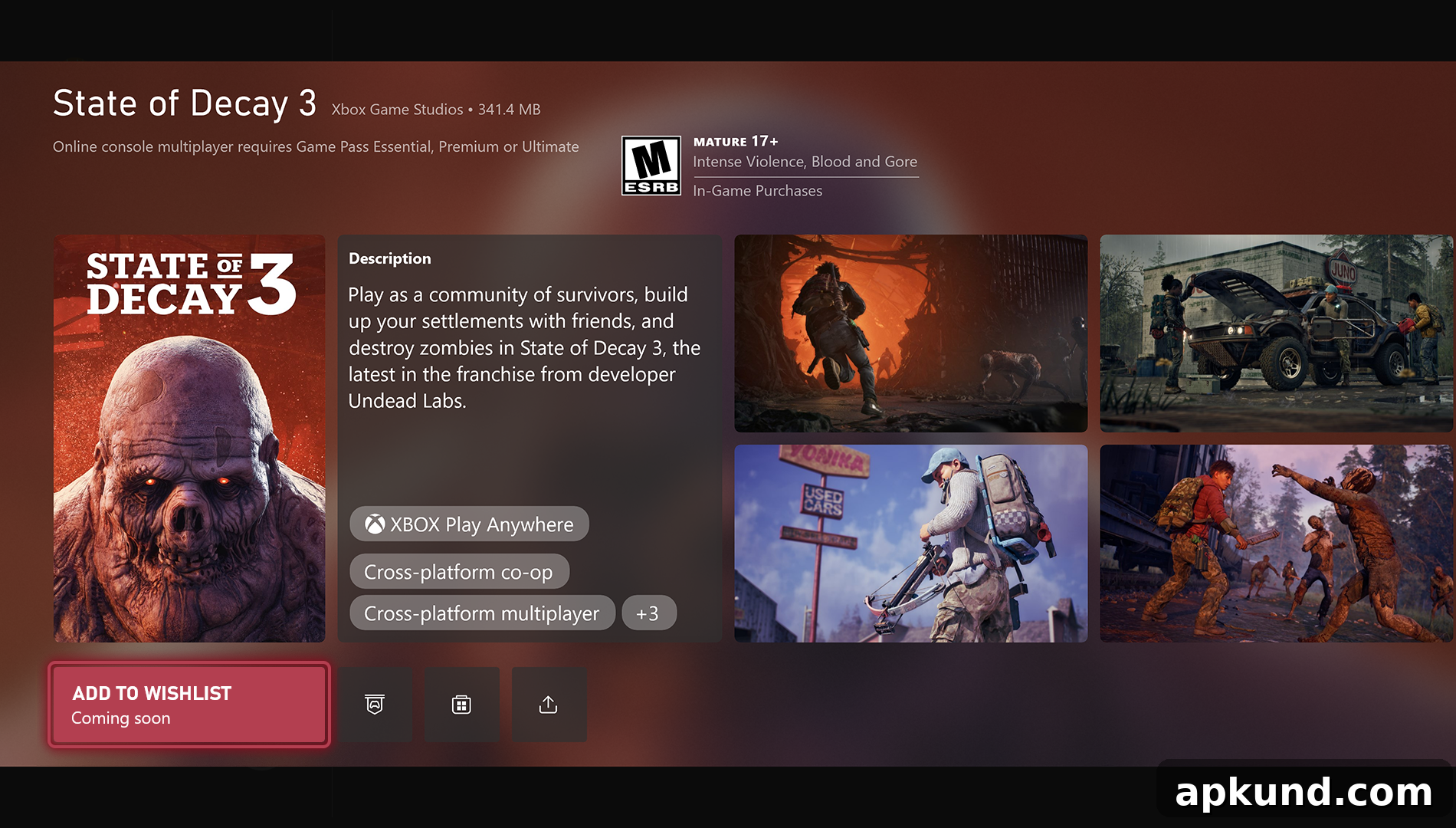
To simplify pre-purchase planning, players can now add upcoming titles to their wishlist directly from a game’s Game Card. This change eliminates the need to search manually for a title later, making it faster to track upcoming releases and sales. The wishlist integration is a small but useful convenience for users who follow many upcoming games or want to keep an organized list of titles to consider.
Energy Efficiency: Moving to Shutdown (Energy Saving)
One notable system change is the automatic transition of consoles set to Sleep mode over to the Shutdown (energy saving) option. Microsoft reports that Shutdown (energy saving) can reduce power consumption significantly when the console is turned off, helping users lower energy use without impacting essential functions.
Importantly, the company states that this change will not affect overnight system or game updates—those will continue to run as scheduled. Users who prefer the previous Sleep behavior can still manually revert their console to Sleep mode at any time through system settings. The intent is to provide a more energy-conscious default while preserving user control and update reliability.
Availability and Feedback
These features are initially available to a subset of Xbox Insiders for testing. Microsoft typically uses Insider feedback to refine features before wider release. If you are an Insider tester, you can try these updates and submit feedback through the usual Xbox Insider channels. The company will evaluate input and adjust features before rolling them out more broadly.
The updates combine usability, personalization, and sustainability improvements—addressing social discovery, visual organization, wishlist convenience, and power savings. Together, they reflect an ongoing focus on making the Xbox experience more intuitive, visually appealing, and environmentally considerate.