
Google recently announced that Gemini-powered voice controls are arriving on select TCL TVs running Google TV. This feature lets users adjust picture and sound settings, troubleshoot common audio and video issues, and navigate system menus using voice commands instead of digging through numerous settings pages. Starting today, owners of compatible TCL models can press the microphone button on their remote or use the “Hey Google” wake phrase to give direct instructions to Gemini, simplifying on-screen setup and making everyday TV adjustments faster and more intuitive.
With Gemini voice controls, users can change standard picture modes and fine-tune individual settings such as brightness, contrast, color temperature, and sharpness by speaking naturally. Audio settings are equally accessible: you can ask Gemini to raise or lower volume levels, adjust bass and treble, or switch audio modes tailored for dialogue, music, or surround effects. The voice assistant interprets plain-language descriptions—for example, phrases like “the screen is too dark” or “dialogue is muffled”—and attempts automatic corrections by applying optimal adjustments for the specific issue.
Beyond simple tweaks, Gemini can optimize the display and sound profile for different types of content. If you’re watching a movie, ask for a “cinematic experience” and the assistant can enable picture and sound presets intended to improve contrast, color grading, and audio clarity for films. For live sports, a quick voice request can prioritize motion smoothing and enhance commentary clarity. These content-aware presets reduce the need to manually cycle through modes and help viewers get the best picture and sound for whatever they’re watching.
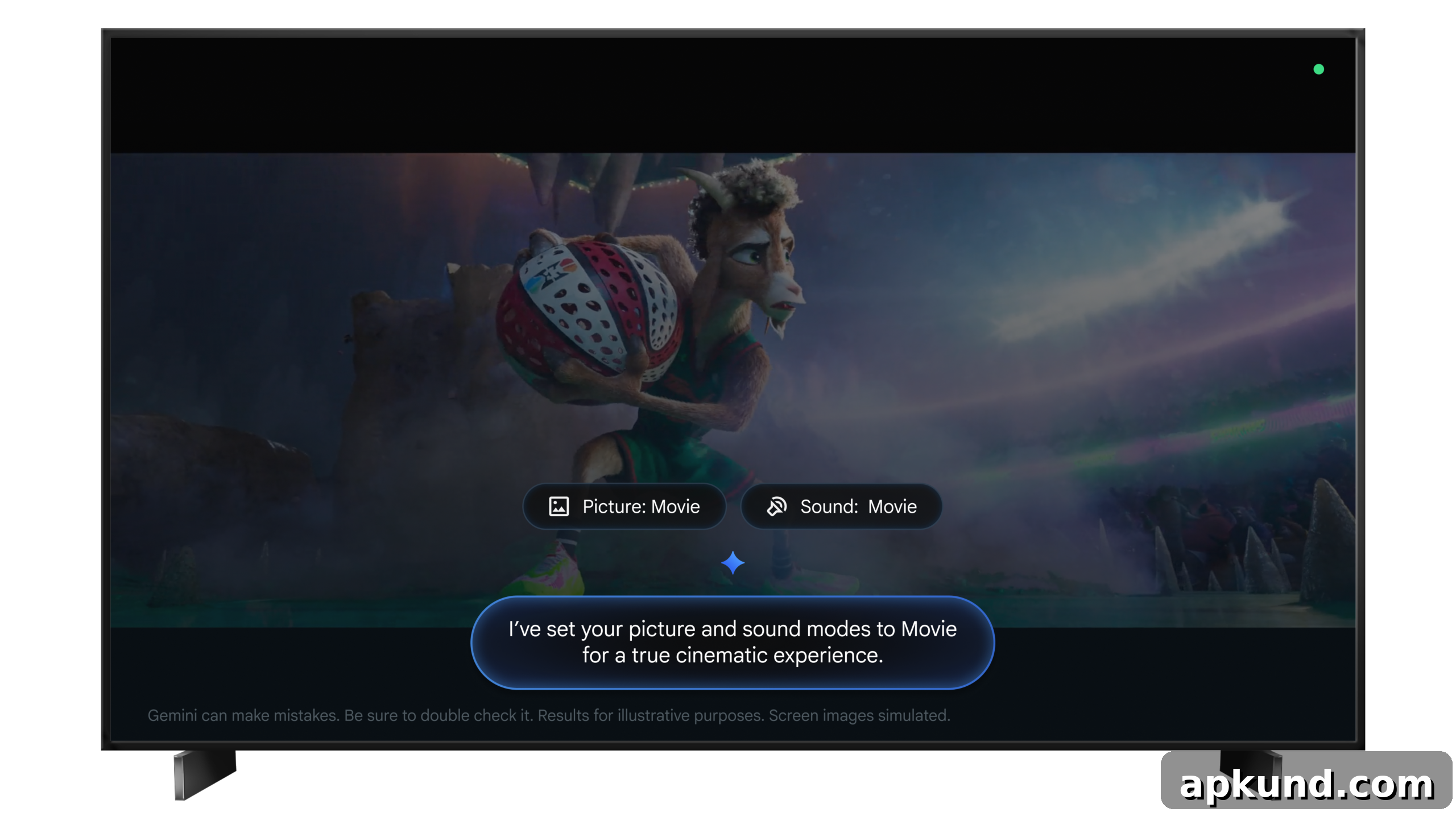
Gemini also serves as a convenient shortcut to open specific system menus or settings pages instantly. Instead of navigating multiple menus to reach picture calibration, sound settings, or accessibility options, users can ask Gemini to open the relevant menu directly. This saves time for routine tasks like enabling night mode, turning on closed captions, changing input sources, or accessing advanced settings for expert calibration.
The rollout is staged and Google says the update will be distributed over the coming weeks. Initially, availability is limited to users in the United States and to particular TCL Google TV models. The supported series include the TCL QM9K, X11L, QM9L, QM8L, and RM9L models. To receive the Gemini voice control features, TVs must be running Android TV OS 14 or later. Owners should check their TV’s system updates and follow on-screen prompts to install any required software updates.
For consumers, the integration of Gemini voice controls into Google TV hardware aims to make TV operation more accessible and user-friendly. Voice-driven adjustments can be especially helpful for users who find on-screen menus confusing or for scenarios where quick changes are needed—such as correcting audio balance during a movie or brightening the picture when watching in daylight. The feature also aligns with broader trends in smart home control, where voice assistants act as central interfaces for managing entertainment devices.
As the update rolls out, TCL owners and early adopters can evaluate how accurately Gemini interprets commands and how effectively it resolves picture and sound issues. If you own a compatible model, make sure your TV is up to date and try commands that describe the viewing problem in plain language. Reported improvements in convenience and speed may encourage wider adoption of voice-based controls across more TV models and brands in future software releases.