
If you still use Google Chat, take note: Google announced that it will integrate Ask Gemini functionality directly into Google Chat starting August 26, 2026. This enhancement aims to make Google Chat a more powerful hub for workspace collaboration by bringing generative AI features and cross-product search into the chat experience.
Ask Gemini in Google Chat enables users to search across multiple Google services—such as Gmail, Drive, and Calendar—without leaving an active chat. The integration also supports generating images, managing calendar events, and organizing work into dedicated sessions that keep relevant resources and context together. These capabilities are accessible from within conversations, reducing the need to switch between apps during real-time collaboration.
Activating Ask Gemini is straightforward: press Ctrl + g on Windows or Command + g on macOS to bring up the assistant in the chat interface. This shortcut is designed to keep workflows fast and smooth, letting users ask questions, pull up documents, schedule meetings, or request images while staying focused on the conversation at hand.
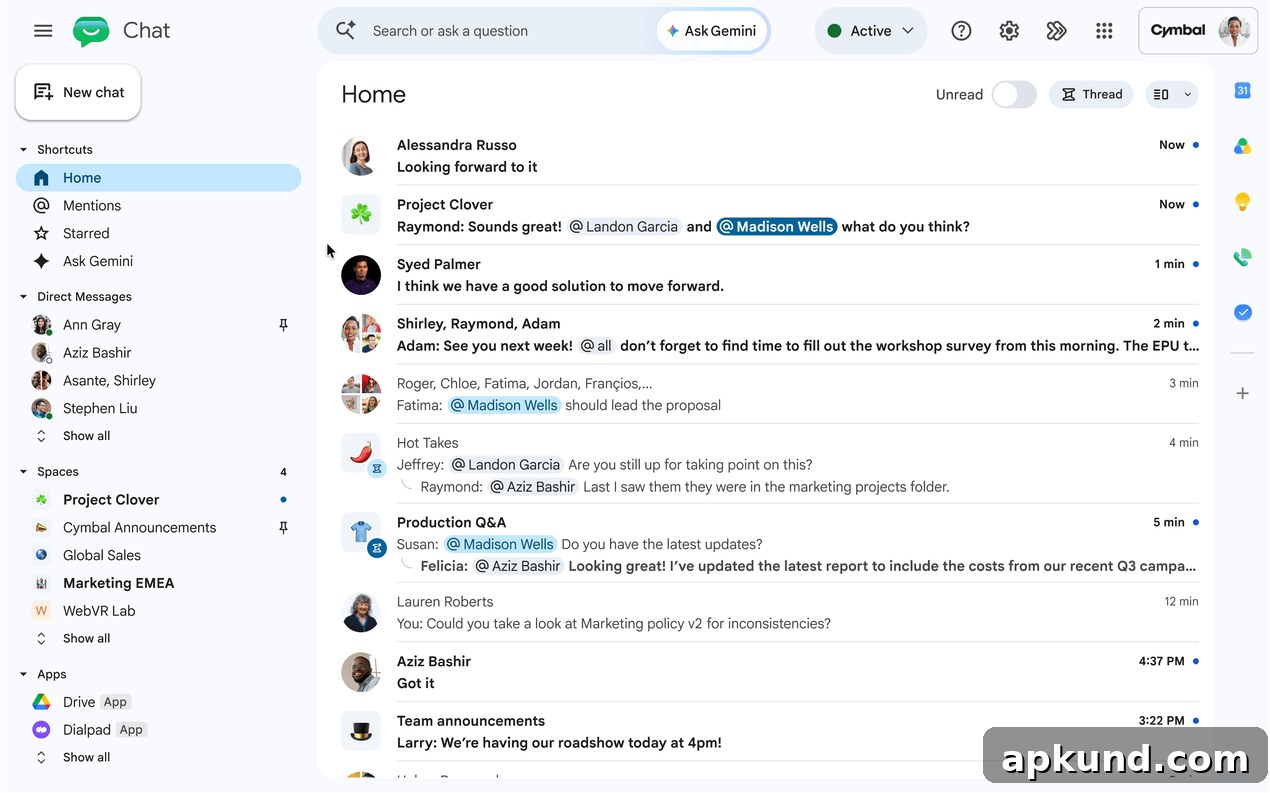
The update replaces the existing Gemini side panel in Google Chat. That older side panel and the “Gems” access that came with it will be retired when Ask Gemini is enabled in the chat interface. It’s important to note that conversation history from the previous side panel will not automatically migrate into the new Ask Gemini space. Administrators and users who have export permissions can retrieve their legacy side panel data through Google Takeout if they need to preserve or archive past interactions.
Initially, Ask Gemini in Google Chat will roll out to users who have English set as their primary account language. Google plans to expand language support in later updates so more users can access the feature in their native languages. Until those additional language options arrive, non-English users will continue to use the legacy side panel and its existing capabilities.
For administrators, this change requires attention to data management and access policies. Because Ask Gemini consolidates search and generation features within chat, organizations should review permissions, data export settings, and the configuration of Google Takeout to ensure important conversation history and content are preserved where required. Admins may also want to communicate the change to end users and provide guidance on how to use the new shortcut and features effectively.
From a practical perspective, the integrated Ask Gemini experience in Chat is intended to reduce context switching. Instead of opening separate apps to find an email, a Drive file, or a calendar event, users can ask the assistant directly in their chat stream. The ability to generate images and run dedicated sessions for specific projects can also help teams keep discussions, artifacts, and follow-ups organized in one place.
Privacy and data handling remain important considerations. As Google brings more AI-driven features into collaborative tools, organizations should verify how content is processed, stored, and exported in accordance with their compliance and governance policies. Leveraging established admin controls and educating users on best practices will help teams adopt Ask Gemini without compromising security or data integrity.
Overall, embedding Ask Gemini into Google Chat represents a meaningful step toward tighter integration of AI within everyday collaboration tools. By surfacing search, content generation, and session management inside the chat flow, Google aims to make team communication more efficient while keeping relevant files and events close at hand. Users and admins alike should prepare for the transition by reviewing export options, updating internal guidance, and testing the new workflow once it becomes available for eligible accounts.